> ## Documentation Index
> Fetch the complete documentation index at: https://docs.whatsable.app/llms.txt
> Use this file to discover all available pages before exploring further.
# WhatsAble API
> Send programmatic WhatsApp messages with the WhatsAble API
# WhatsAble API
> Send programmatic WhatsApp messages with ease
 ## Overview
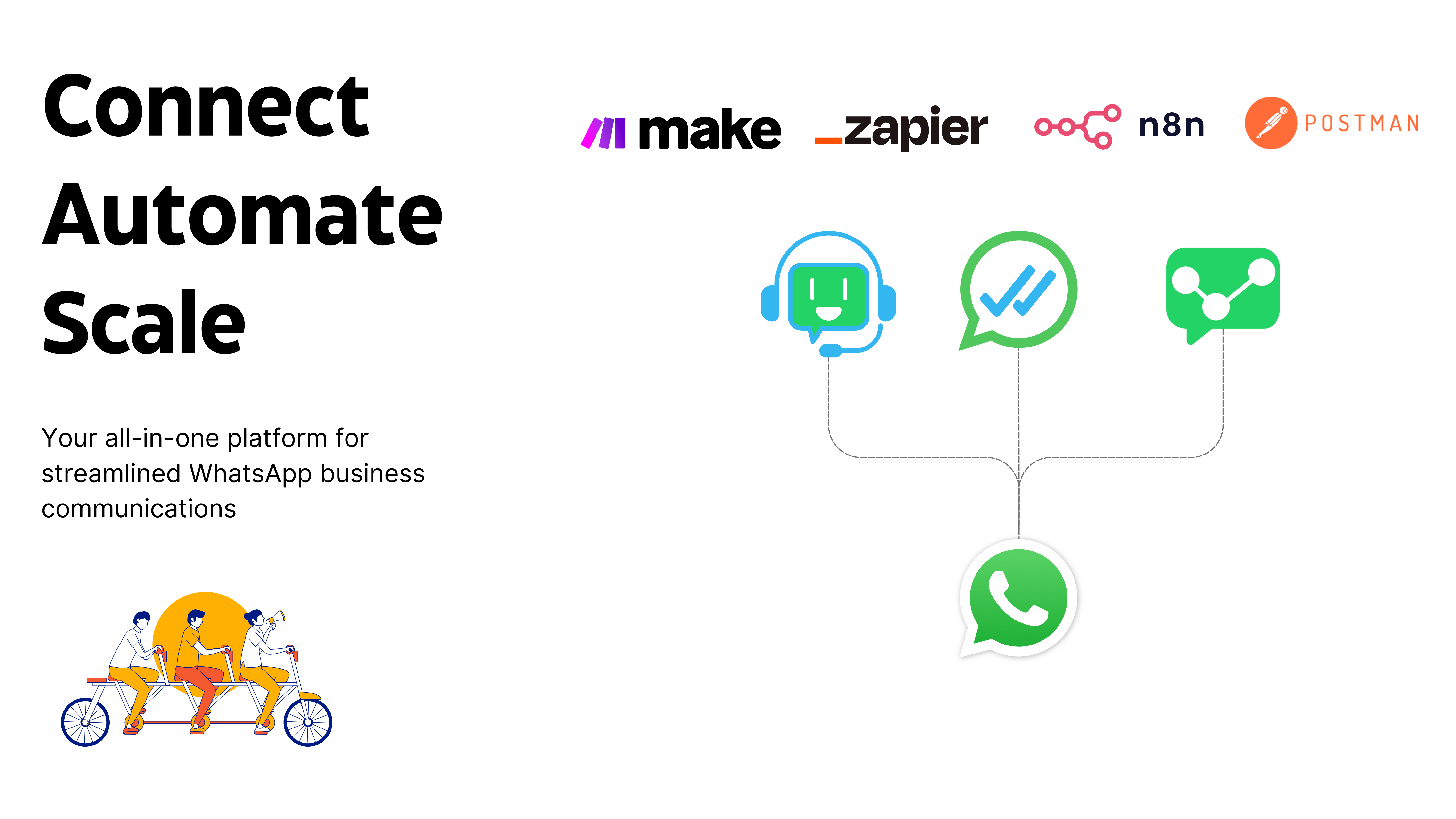
WhatsAble API enables developers to programmatically send WhatsApp messages with rich media support. Our RESTful API delivers enterprise-grade reliability while maintaining a simple integration process. Whether you're building a customer support platform, marketing automation system, or notification service, WhatsAble API gives you the tools to engage your users on WhatsApp.
Send your first WhatsApp message in under 5 minutes
Complete API endpoints and parameters documentation
Send images, videos, documents, and more
Use templates for structured messages
## Key Features
Send WhatsApp messages with text, images, videos, documents, and audio files.
Use pre-defined templates for structured messages, enabling you to send consistent communications.
Seamlessly integrate with platforms like Zapier and Make.com without writing code.
Send messages to thousands of recipients with high deliverability and reliability.
## Getting Started
Sign up for a [WhatsAble account](https://dashboard.whatsable.app/register) and activate your subscription or start a free trial.
You'll need a WhatsApp-enabled phone number to send messages from your account.
Navigate to the API section in your WhatsAble dashboard and generate an API key.
Keep your API key secure and never share it publicly. It grants full access to send messages from your account.
Use the examples below to send your first WhatsApp message programmatically.
## API Reference
### Base URL
```bash Base URL theme={null}
https://dashboard.whatsable.app/api/whatsapp/messages/v2.0.0
```
```bash Legacy URL (v1) theme={null}
https://dashboard.whatsable.app/api/whatsapp/messages
```
### Authentication
All API requests require authentication using your API key in the request header:
Your WhatsAble API key
```bash Example theme={null}
curl -X POST https://dashboard.whatsable.app/api/whatsapp/messages/v2.0.0/send \
-H 'Authorization: YOUR_API_KEY' \
-H 'Content-Type: application/json' \
-d '{
"to": "+1234567890",
"text": "Hello from WhatsAble!"
}'
```
### Send Message Endpoint
Endpoint to send WhatsApp messages
#### Request Parameters
The recipient's phone number in E.164 format (e.g., +1234567890)
The message content you want to send
URL or base64-encoded file for attachments (images, videos, PDFs)
Name of the file when sending a document attachment
#### Response
Indicates if the message was sent successfully (true)
A human-readable message describing the result
Unique identifier for the message (e.g., wamid.XXXXXX)
Status of the message (e.g., "accepted")
```bash cURL theme={null}
curl -X POST https://dashboard.whatsable.app/api/whatsapp/messages/v2.0.0/send \
-H 'Authorization: YOUR_API_KEY' \
-H 'Content-Type: application/json' \
-d '{
"to": "+1234567890",
"text": "Hello, this is a test message from WhatsAble!",
"attachment": "https://example.com/image.jpg",
"filename": "image.jpg"
}'
```
```json Success Response theme={null}
{
"success": true,
"message": "Message sent successfully to +1234567890",
"details": {
"messages": [
{
"id": "wamid.XXXXXX",
"message_status": "accepted"
}
]
}
}
```
### Error Codes
```json theme={null}
{
"success": false,
"message": "Invalid phone number format",
"details": "Phone number must be in E.164 format."
}
```
Ensure phone numbers are in E.164 format (e.g., +1234567890) with country code.
```json theme={null}
{
"success": false,
"message": "API key is required"
}
```
Make sure you're including the API key in the Authorization header.
```json theme={null}
{
"success": false,
"message": "Invalid API Key"
}
```
Verify your API key is correct and active in your WhatsAble dashboard.
```json theme={null}
{
"success": false,
"message": "The number +1234567890 is not registered."
}
```
The recipient's number must be registered with WhatsApp to receive messages.
## Code Examples
```javascript JavaScript (Fetch) theme={null}
const sendWhatsAppMessage = async () => {
const apiKey = 'YOUR_API_KEY';
const endpoint = 'https://dashboard.whatsable.app/api/whatsapp/messages/v2.0.0/send';
const payload = {
to: '+1234567890',
text: 'Hello, this is a test message from WhatsAble!',
attachment: 'https://example.com/image.jpg',
filename: 'image.jpg'
};
try {
const response = await fetch(endpoint, {
method: 'POST',
headers: {
'Authorization': apiKey,
'Content-Type': 'application/json'
},
body: JSON.stringify(payload)
});
const data = await response.json();
console.log('Message sent:', data);
return data;
} catch (error) {
console.error('Error sending message:', error);
throw error;
}
};
sendWhatsAppMessage();
```
```python Python theme={null}
import requests
import json
def send_whatsapp_message():
api_key = 'YOUR_API_KEY'
endpoint = 'https://dashboard.whatsable.app/api/whatsapp/messages/v2.0.0/send'
payload = {
'to': '+1234567890',
'text': 'Hello, this is a test message from WhatsAble!',
'attachment': 'https://example.com/image.jpg',
'filename': 'image.jpg'
}
headers = {
'Authorization': api_key,
'Content-Type': 'application/json'
}
try:
response = requests.post(endpoint, headers=headers, data=json.dumps(payload))
data = response.json()
print('Message sent:', data)
return data
except Exception as e:
print('Error sending message:', str(e))
raise e
send_whatsapp_message()
```
```php PHP theme={null}
'+1234567890',
'text' => 'Hello, this is a test message from WhatsAble!',
'attachment' => 'https://example.com/image.jpg',
'filename' => 'image.jpg'
];
$headers = [
'Authorization: ' . $apiKey,
'Content-Type: application/json'
];
$ch = curl_init($endpoint);
curl_setopt($ch, CURLOPT_RETURNTRANSFER, true);
curl_setopt($ch, CURLOPT_POST, true);
curl_setopt($ch, CURLOPT_POSTFIELDS, json_encode($payload));
curl_setopt($ch, CURLOPT_HTTPHEADER, $headers);
$response = curl_exec($ch);
$error = curl_error($ch);
curl_close($ch);
if ($error) {
echo 'Error sending message: ' . $error;
return false;
}
$data = json_decode($response, true);
echo 'Message sent: ' . print_r($data, true);
return $data;
}
sendWhatsAppMessage();
```
## Supported Media Types
WhatsAble API supports a wide range of media types for sending rich messages via WhatsApp.
.jpeg, .jpg
image/jpeg
5MB
8-bit, RGB or RGBA
.png
image/png
5MB
8-bit, RGB or RGBA
```javascript Send Image Example theme={null}
const payload = {
to: '+1234567890',
text: 'Check out this image!',
attachment: 'https://example.com/image.jpg',
filename: 'image.jpg'
};
```
.mp4
video/mp4
16MB
H.264 video, AAC audio
.3gp
video/3gpp
16MB
H.264 video, AAC audio
.pdf
application/pdf
100MB
.doc, .docx
application/msword, application/vnd.openxmlformats-officedocument.wordprocessingml.document
100MB
.xls, .xlsx
application/vnd.ms-excel, application/vnd.openxmlformats-officedocument.spreadsheetml.sheet
100MB
.ppt, .pptx
application/vnd.ms-powerpoint, application/vnd.openxmlformats-officedocument.presentationml.presentation
100MB
.txt
text/plain
100MB
.mp3
audio/mpeg
16MB
.aac
audio/aac
16MB
.ogg
audio/ogg
16MB
OPUS only
.amr
audio/amr
16MB
.m4a
audio/mp4
16MB
.webp
image/webp
100KB
.webp
image/webp
500KB
## Template-Based Messaging
WhatsAble intelligently selects the appropriate template based on the message content and attachment type.
WhatsAble automatically selects the appropriate template based on your content:
* **Text-only messages**: Uses templates like `standard_1_line_textonly`, `standard_2_line_textonly`, etc.
* **Image attachments**: Uses templates like `standard_image_notification_1_lines`, `standard_image_notification_2_lines`, etc.
* **Video attachments**: Uses templates like `standard_video_notification_1_lines`, `standard_video_notification_2_lines`, etc.
* **Document attachments**: Uses templates like `standard_doc_message_1_line`, `standard_doc_message_2_lines`, etc.
Template messaging ensures your messages maintain consistent formatting and follow WhatsApp guidelines.
## Rate Limits and Best Practices
WhatsAble enforces rate limits to ensure reliable message delivery. Standard accounts are limited to 50 messages per minute, while enterprise accounts have customizable limits.
Exceeding rate limits may result in temporary API access restrictions.
Always implement proper error handling to manage failed message deliveries gracefully:
```javascript theme={null}
try {
const response = await sendWhatsAppMessage();
if (!response.success) {
// Handle specific error based on response message
console.error('Message sending failed:', response.message);
}
} catch (error) {
// Handle network or server errors
console.error('API request failed:', error);
}
```
Compress images and videos before sending to improve delivery speed and reliability:
* Resize images to appropriate dimensions for WhatsApp (1080px max width recommended)
* Compress videos to reduce file size while maintaining quality
* Use CDN-hosted media when possible rather than base64 encoding
## FAQ
No, WhatsAble is not affiliated with or endorsed by WhatsApp Inc. WhatsAble uses the WhatsApp Business API to provide its services.
Yes, according to WhatsApp's policy, recipients must explicitly opt in to receive messages from businesses. Ensure you have proper consent before sending messages.
Currently, the WhatsAble API provides message acceptance status in the response. Real-time delivery and read receipts are planned for a future release.
Yes, but you need to send individual API requests for each recipient. Bulk messaging functionality with a single API call is available for enterprise customers.
## Support
Click the green chat button in the bottom right corner of the WhatsAble dashboard
Contact our team at [team@whatsable.app](mailto:team@whatsable.app)
Our support team is available Monday through Friday, 9 AM to 6 PM UTC. Enterprise customers receive 24/7 support access.
## Updates
## Overview
WhatsAble API enables developers to programmatically send WhatsApp messages with rich media support. Our RESTful API delivers enterprise-grade reliability while maintaining a simple integration process. Whether you're building a customer support platform, marketing automation system, or notification service, WhatsAble API gives you the tools to engage your users on WhatsApp.
Send your first WhatsApp message in under 5 minutes
Complete API endpoints and parameters documentation
Send images, videos, documents, and more
Use templates for structured messages
## Key Features
Send WhatsApp messages with text, images, videos, documents, and audio files.
Use pre-defined templates for structured messages, enabling you to send consistent communications.
Seamlessly integrate with platforms like Zapier and Make.com without writing code.
Send messages to thousands of recipients with high deliverability and reliability.
## Getting Started
Sign up for a [WhatsAble account](https://dashboard.whatsable.app/register) and activate your subscription or start a free trial.
You'll need a WhatsApp-enabled phone number to send messages from your account.
Navigate to the API section in your WhatsAble dashboard and generate an API key.
Keep your API key secure and never share it publicly. It grants full access to send messages from your account.
Use the examples below to send your first WhatsApp message programmatically.
## API Reference
### Base URL
```bash Base URL theme={null}
https://dashboard.whatsable.app/api/whatsapp/messages/v2.0.0
```
```bash Legacy URL (v1) theme={null}
https://dashboard.whatsable.app/api/whatsapp/messages
```
### Authentication
All API requests require authentication using your API key in the request header:
Your WhatsAble API key
```bash Example theme={null}
curl -X POST https://dashboard.whatsable.app/api/whatsapp/messages/v2.0.0/send \
-H 'Authorization: YOUR_API_KEY' \
-H 'Content-Type: application/json' \
-d '{
"to": "+1234567890",
"text": "Hello from WhatsAble!"
}'
```
### Send Message Endpoint
Endpoint to send WhatsApp messages
#### Request Parameters
The recipient's phone number in E.164 format (e.g., +1234567890)
The message content you want to send
URL or base64-encoded file for attachments (images, videos, PDFs)
Name of the file when sending a document attachment
#### Response
Indicates if the message was sent successfully (true)
A human-readable message describing the result
Unique identifier for the message (e.g., wamid.XXXXXX)
Status of the message (e.g., "accepted")
```bash cURL theme={null}
curl -X POST https://dashboard.whatsable.app/api/whatsapp/messages/v2.0.0/send \
-H 'Authorization: YOUR_API_KEY' \
-H 'Content-Type: application/json' \
-d '{
"to": "+1234567890",
"text": "Hello, this is a test message from WhatsAble!",
"attachment": "https://example.com/image.jpg",
"filename": "image.jpg"
}'
```
```json Success Response theme={null}
{
"success": true,
"message": "Message sent successfully to +1234567890",
"details": {
"messages": [
{
"id": "wamid.XXXXXX",
"message_status": "accepted"
}
]
}
}
```
### Error Codes
```json theme={null}
{
"success": false,
"message": "Invalid phone number format",
"details": "Phone number must be in E.164 format."
}
```
Ensure phone numbers are in E.164 format (e.g., +1234567890) with country code.
```json theme={null}
{
"success": false,
"message": "API key is required"
}
```
Make sure you're including the API key in the Authorization header.
```json theme={null}
{
"success": false,
"message": "Invalid API Key"
}
```
Verify your API key is correct and active in your WhatsAble dashboard.
```json theme={null}
{
"success": false,
"message": "The number +1234567890 is not registered."
}
```
The recipient's number must be registered with WhatsApp to receive messages.
## Code Examples
```javascript JavaScript (Fetch) theme={null}
const sendWhatsAppMessage = async () => {
const apiKey = 'YOUR_API_KEY';
const endpoint = 'https://dashboard.whatsable.app/api/whatsapp/messages/v2.0.0/send';
const payload = {
to: '+1234567890',
text: 'Hello, this is a test message from WhatsAble!',
attachment: 'https://example.com/image.jpg',
filename: 'image.jpg'
};
try {
const response = await fetch(endpoint, {
method: 'POST',
headers: {
'Authorization': apiKey,
'Content-Type': 'application/json'
},
body: JSON.stringify(payload)
});
const data = await response.json();
console.log('Message sent:', data);
return data;
} catch (error) {
console.error('Error sending message:', error);
throw error;
}
};
sendWhatsAppMessage();
```
```python Python theme={null}
import requests
import json
def send_whatsapp_message():
api_key = 'YOUR_API_KEY'
endpoint = 'https://dashboard.whatsable.app/api/whatsapp/messages/v2.0.0/send'
payload = {
'to': '+1234567890',
'text': 'Hello, this is a test message from WhatsAble!',
'attachment': 'https://example.com/image.jpg',
'filename': 'image.jpg'
}
headers = {
'Authorization': api_key,
'Content-Type': 'application/json'
}
try:
response = requests.post(endpoint, headers=headers, data=json.dumps(payload))
data = response.json()
print('Message sent:', data)
return data
except Exception as e:
print('Error sending message:', str(e))
raise e
send_whatsapp_message()
```
```php PHP theme={null}
'+1234567890',
'text' => 'Hello, this is a test message from WhatsAble!',
'attachment' => 'https://example.com/image.jpg',
'filename' => 'image.jpg'
];
$headers = [
'Authorization: ' . $apiKey,
'Content-Type: application/json'
];
$ch = curl_init($endpoint);
curl_setopt($ch, CURLOPT_RETURNTRANSFER, true);
curl_setopt($ch, CURLOPT_POST, true);
curl_setopt($ch, CURLOPT_POSTFIELDS, json_encode($payload));
curl_setopt($ch, CURLOPT_HTTPHEADER, $headers);
$response = curl_exec($ch);
$error = curl_error($ch);
curl_close($ch);
if ($error) {
echo 'Error sending message: ' . $error;
return false;
}
$data = json_decode($response, true);
echo 'Message sent: ' . print_r($data, true);
return $data;
}
sendWhatsAppMessage();
```
## Supported Media Types
WhatsAble API supports a wide range of media types for sending rich messages via WhatsApp.
.jpeg, .jpg
image/jpeg
5MB
8-bit, RGB or RGBA
.png
image/png
5MB
8-bit, RGB or RGBA
```javascript Send Image Example theme={null}
const payload = {
to: '+1234567890',
text: 'Check out this image!',
attachment: 'https://example.com/image.jpg',
filename: 'image.jpg'
};
```
.mp4
video/mp4
16MB
H.264 video, AAC audio
.3gp
video/3gpp
16MB
H.264 video, AAC audio
.pdf
application/pdf
100MB
.doc, .docx
application/msword, application/vnd.openxmlformats-officedocument.wordprocessingml.document
100MB
.xls, .xlsx
application/vnd.ms-excel, application/vnd.openxmlformats-officedocument.spreadsheetml.sheet
100MB
.ppt, .pptx
application/vnd.ms-powerpoint, application/vnd.openxmlformats-officedocument.presentationml.presentation
100MB
.txt
text/plain
100MB
.mp3
audio/mpeg
16MB
.aac
audio/aac
16MB
.ogg
audio/ogg
16MB
OPUS only
.amr
audio/amr
16MB
.m4a
audio/mp4
16MB
.webp
image/webp
100KB
.webp
image/webp
500KB
## Template-Based Messaging
WhatsAble intelligently selects the appropriate template based on the message content and attachment type.
WhatsAble automatically selects the appropriate template based on your content:
* **Text-only messages**: Uses templates like `standard_1_line_textonly`, `standard_2_line_textonly`, etc.
* **Image attachments**: Uses templates like `standard_image_notification_1_lines`, `standard_image_notification_2_lines`, etc.
* **Video attachments**: Uses templates like `standard_video_notification_1_lines`, `standard_video_notification_2_lines`, etc.
* **Document attachments**: Uses templates like `standard_doc_message_1_line`, `standard_doc_message_2_lines`, etc.
Template messaging ensures your messages maintain consistent formatting and follow WhatsApp guidelines.
## Rate Limits and Best Practices
WhatsAble enforces rate limits to ensure reliable message delivery. Standard accounts are limited to 50 messages per minute, while enterprise accounts have customizable limits.
Exceeding rate limits may result in temporary API access restrictions.
Always implement proper error handling to manage failed message deliveries gracefully:
```javascript theme={null}
try {
const response = await sendWhatsAppMessage();
if (!response.success) {
// Handle specific error based on response message
console.error('Message sending failed:', response.message);
}
} catch (error) {
// Handle network or server errors
console.error('API request failed:', error);
}
```
Compress images and videos before sending to improve delivery speed and reliability:
* Resize images to appropriate dimensions for WhatsApp (1080px max width recommended)
* Compress videos to reduce file size while maintaining quality
* Use CDN-hosted media when possible rather than base64 encoding
## FAQ
No, WhatsAble is not affiliated with or endorsed by WhatsApp Inc. WhatsAble uses the WhatsApp Business API to provide its services.
Yes, according to WhatsApp's policy, recipients must explicitly opt in to receive messages from businesses. Ensure you have proper consent before sending messages.
Currently, the WhatsAble API provides message acceptance status in the response. Real-time delivery and read receipts are planned for a future release.
Yes, but you need to send individual API requests for each recipient. Bulk messaging functionality with a single API call is available for enterprise customers.
## Support
Click the green chat button in the bottom right corner of the WhatsAble dashboard
Contact our team at [team@whatsable.app](mailto:team@whatsable.app)
Our support team is available Monday through Friday, 9 AM to 6 PM UTC. Enterprise customers receive 24/7 support access.
## Updates

 ### What's New
* **Improved Media Handling**: Support for larger file sizes and more media types
* **Enhanced Error Reporting**: More detailed error messages and status codes
* **Better Reliability**: Automatic retry mechanism for failed message delivery
* **Performance Improvements**: 50% faster message delivery times
### What's New
* Added support for sticker messages
* Improved template selection algorithm
* Fixed issues with document attachments
For a complete changelog, visit the [WhatsAble Release Notes](https://dashboard.whatsable.app/changelog) page.
API v1 is scheduled for deprecation on December 31, 2023. Please upgrade to v2.0.0 before this date.
### What's New
* **Improved Media Handling**: Support for larger file sizes and more media types
* **Enhanced Error Reporting**: More detailed error messages and status codes
* **Better Reliability**: Automatic retry mechanism for failed message delivery
* **Performance Improvements**: 50% faster message delivery times
### What's New
* Added support for sticker messages
* Improved template selection algorithm
* Fixed issues with document attachments
For a complete changelog, visit the [WhatsAble Release Notes](https://dashboard.whatsable.app/changelog) page.
API v1 is scheduled for deprecation on December 31, 2023. Please upgrade to v2.0.0 before this date.